AWS Bedrock LLM
AWS Bedrock offers a very simple deployment service of full state of the art foundational LLMs for you to run on your AWS account. While these models and their data should be private to your account each model does have its own EULA and can vary from model to model.
Connecting to AWS Bedrock
Valid account setup required!
You must have a valid AWS Account (opens in a new tab) to use AWS Bedrock - this service is not free.
You must be an administrator or root user of the account to follow the below steps. Otherwise, consult with your account admin.
Obtain API Key to use for Bedrock
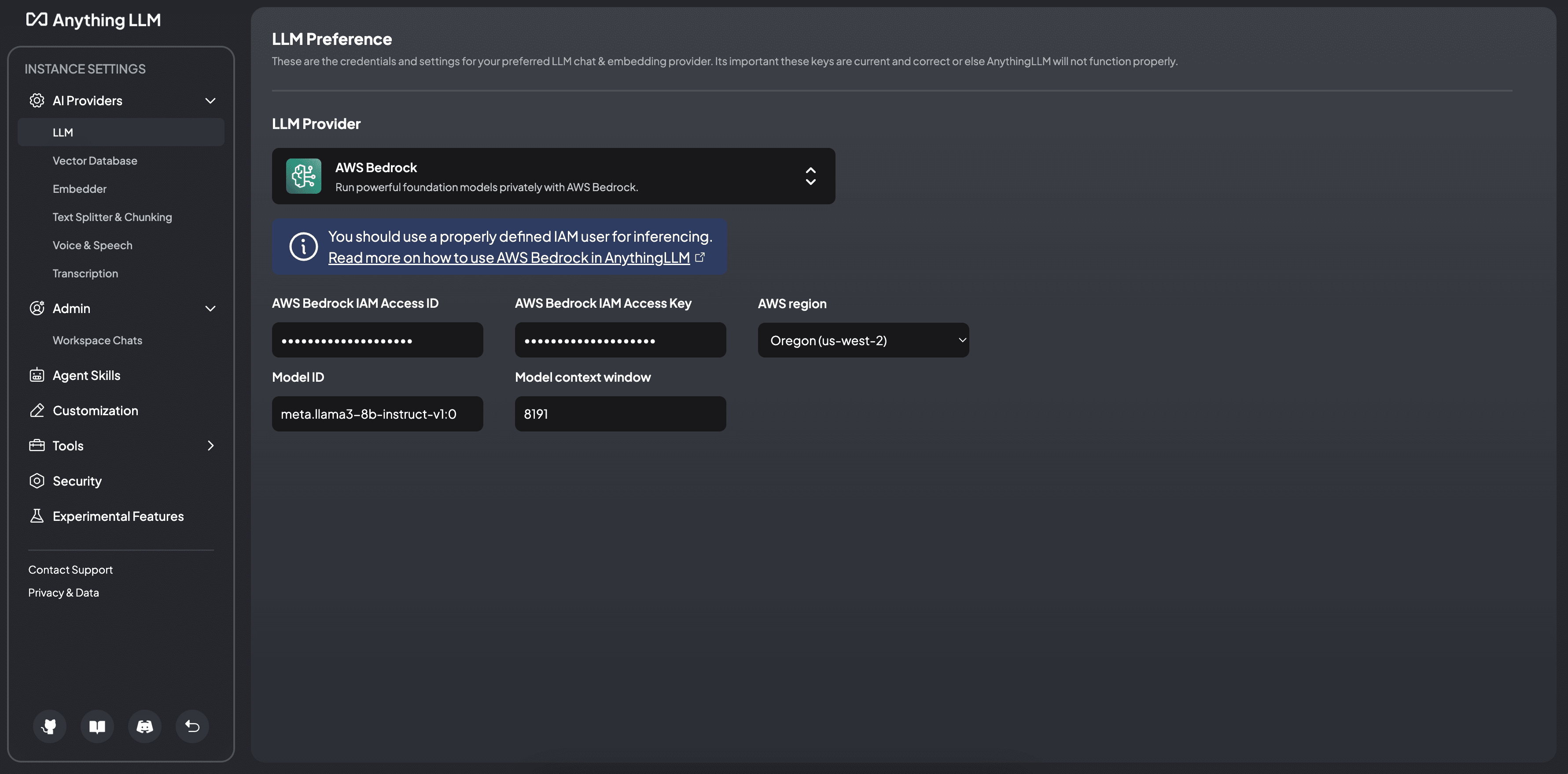
AnythingLLM only supports AWS Bedrock via long-term API keys. Generate a new key from the AWS Bedrock console and set its expiry to whatever you feel comfortable with.
This will be the key you use to connect to AWS Bedrock in AnythingLLM to send chats and do agentic operations.
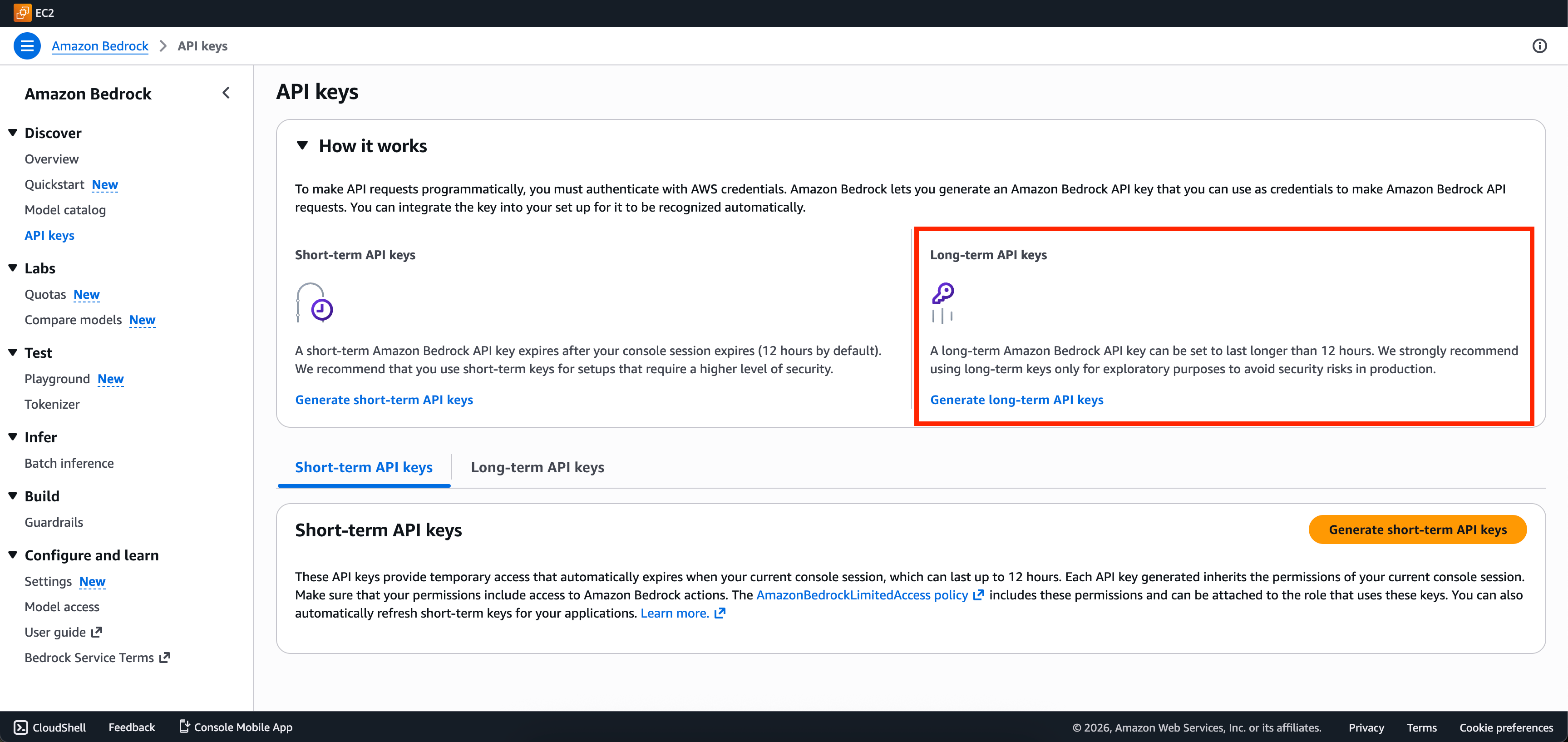
Paste this key into the AnythingLLM interface as well as set the correct region if needed. You should see the model dropdown populated with the models available to you for that key in that region.
AWS region
This is the region that your account is enabled to use with AWS Bedrock - this depends on your region preference and account settings.
An example is us-west-2 Oregon. Yours may be elsewhere.
Model ID
This is the model id copied from the screenshot above.
Model context window
This is the maximum amount of tokens that can exist in a single query for a model. This is a model specific parameter and will vary from model to model. Consult with AWS Bedrock's UI or the model provider documentation for what this limit may be.