AnythingLLM Default LLM
Available on AnythingLLM Desktop and Docker.
On Desktop the built-in LLM is the default provider. On Docker it is optional and must be turned on when you start the container - see Built-in LLM for Docker.
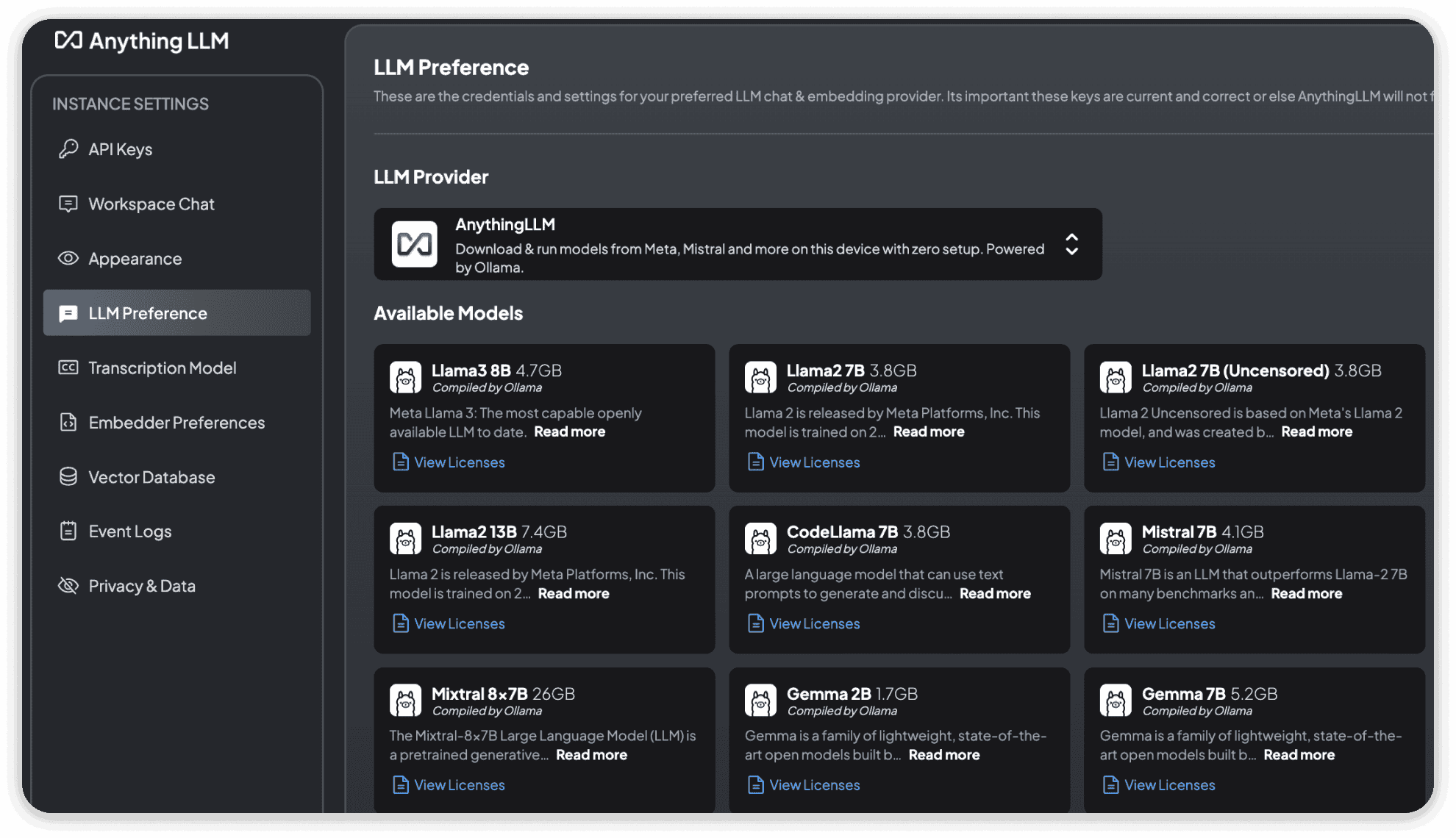
AnythingLLM ships with a built-in LLM engine and provider that enables you to download popular and highly-rated LLMs like LLama-3, Phi-3 and more that can run locally on your CPU and GPU.
When you boot up AnythingLLM Desktop you will be able to select the model you wish to download. Its progress will be tracked in the top-right of the application window.
You can update your model to a different model at any time in the Settings.
How it works
The built-in provider is powered by Lemonade (opens in a new tab), an open-source (opens in a new tab) local AI server maintained by AMD. Lemonade runs your models with llama.cpp (opens in a new tab) on your CPU or GPU:
- Vulkan - AMD, Intel, and NVIDIA GPUs
- CUDA - NVIDIA GPUs (picked automatically when your driver supports it)
- Metal - Apple Silicon Macs (Intel-based Macs run models on the CPU)
On AMD Ryzen AI machines with an XDNA2 NPU, models can also run on the NPU via FastFlowLM.
On Docker, the built-in provider runs on Linux with CUDA for NVIDIA GPUs, Vulkan for AMD and Intel GPUs, or the CPU.
The built-in provider is intended only for downloading and running local models on your machine. If you want to use your own, separately installed Ollama (opens in a new tab), connect it via the Ollama provider instead.
Models
The built-in provider uses GGUF models, which are downloaded from Hugging Face.
You can choose where models are downloaded from in the provider's advanced settings via the model registry option:
- Automatic - Uses Hugging Face, falling back to ModelScope when Hugging Face is unreachable (eg. in mainland China)
- Hugging Face
- ModelScope
Importing models
From the built-in provider's settings you can also import a local .gguf file or any GGUF repo from Hugging Face. See Import custom models for more details.
Hugging Face deep links work too - clicking Use this model -> AnythingLLM on a Hugging Face model page will pull that model into the built-in engine.
Context window
The context window defaults to 16,384 tokens. You can change it in the provider's advanced settings, up to the maximum context window the model supports.
Docker
AnythingLLM Docker includes the same kind of built-in engine as an opt-in feature, available on the latest image and every Docker release after v1.18.0. Start the container with -e ENABLE_BUILT_IN_LLM=true (plus --gpus all for NVIDIA GPUs, or --device /dev/dri for AMD and Intel GPUs) and Built-in becomes the default LLM provider during onboarding.
You can also turn it on for an existing installation by pulling the latest image and recreating your container with -e ENABLE_BUILT_IN_LLM=true. Your data is kept and your current LLM provider is not changed - Built-in just becomes available to select. See Existing installations.
On Docker you get:
- Three models recommended for your server's GPU or memory during onboarding
- The full model table, with ⚡ marking faster multi-token prediction (MTP) models
- Pulling any GGUF model from Hugging Face as
owner/repoorowner/repo:QUANT - The provider in workspace and agent LLM settings, the chat window model picker, and Model Router
- RAM and GPU memory freed automatically when you switch the system LLM to another provider
Importing local .gguf files and Hugging Face Use this model deep links are Desktop only. Docker on macOS cannot use the Apple GPU, so models run on the CPU there.
See Built-in LLM for Docker for the full setup guide, GPU options, and troubleshooting.
Upgrading from the previous built-in engine
This section only applies to AnythingLLM Desktop. Older versions of AnythingLLM Desktop shipped with a built-in engine powered by Ollama (opens in a new tab). New installs use Lemonade.
If you were using the previous built-in Ollama engine, it will keep working for now. AnythingLLM will show an Engine upgrade notice in the title bar that lets you switch to the new engine whenever you are ready.
You will need to re-download your models
Switching to the new engine deletes the old engine and the models that were downloaded with it. After switching, you will need to download your models again.
A future update will move any remaining users to the new engine automatically.