Notable Changes
Meeting Assistant tasks
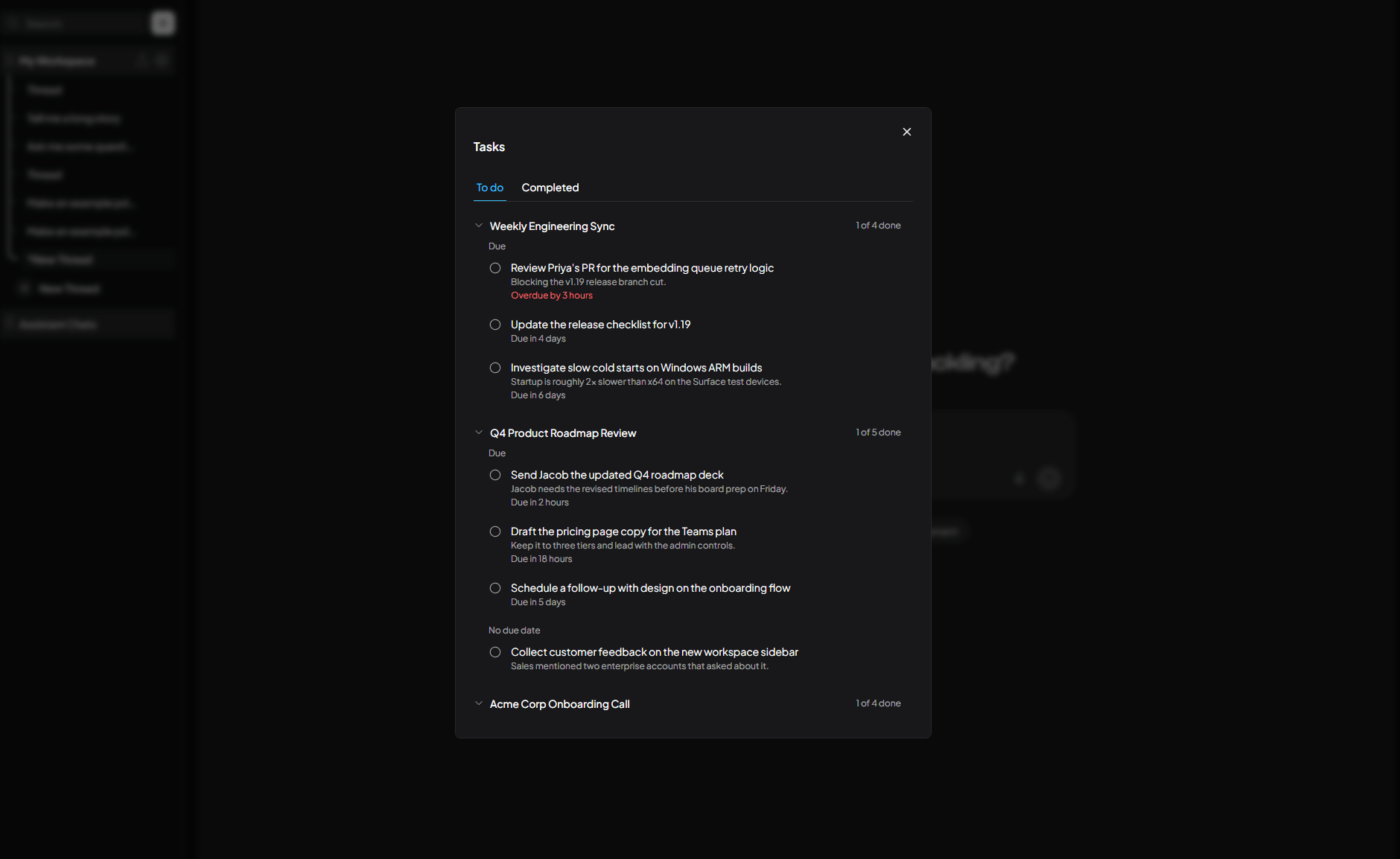
Meeting Assistant now turns every meeting into a checklist of follow-ups. When a meeting finishes processing, AnythingLLM reads the summary and transcript and creates a task for each concrete thing someone committed to, like "Send Jacob the updated Q4 roadmap deck". Discussion topics and vague ideas are left out.
- Due dates: a task gets a due date when the meeting mentions a deadline, such as "by Friday" or "before the 10am standup". Otherwise AnythingLLM estimates one from how much work the task is. A task with no real timeframe has no due date. You can change or clear any due date.
- Reminders: when a task comes due, you get a desktop notification. Several tasks coming due at once are combined into one notification.
- Task inbox: open your tasks from the inbox icon at the top of the app. A red dot shows when you have tasks to do. Tasks are grouped by the meeting they came from, with a count of how many are done, and split into tasks with a due date and tasks without one. Check off a task to move it to Completed.
- Meeting tasks: every meeting has a Tasks tab with all of its tasks. Use Regenerate Tasks to create them again; tasks you already completed are kept.
Tasks replace the Action Items tab. Action items from meetings recorded before 1.19.0 are no longer shown. Open one of those meetings and use Generate Tasks to create tasks for it.
Meeting Assistant hotkey and developer API
You can now start and stop a Meeting Assistant recording from anywhere, without opening AnythingLLM.
- Global hotkey: turn it on in Meeting Assistant Preferences. Press ⌘ + ⌥ + Shift + M on Mac or Ctrl + Alt + Shift + M on Windows to start a meeting, and press it again to stop it. You can change the key. A notification tells you when the meeting starts, when it can't be started, and when it is being transcribed.
- Developer API:
POST /v1/meeting-assistant/startandPOST /v1/meeting-assistant/stopcontrol a recording in the background. Pass an optionalprovider(such aszoom,teamsorchrome) to tag the app the meeting is in. Stopping a meeting transcribes and summarizes it automatically.POST /v1/meeting-assistant/searchsearches across all your meeting summaries and transcripts.
Color palettes
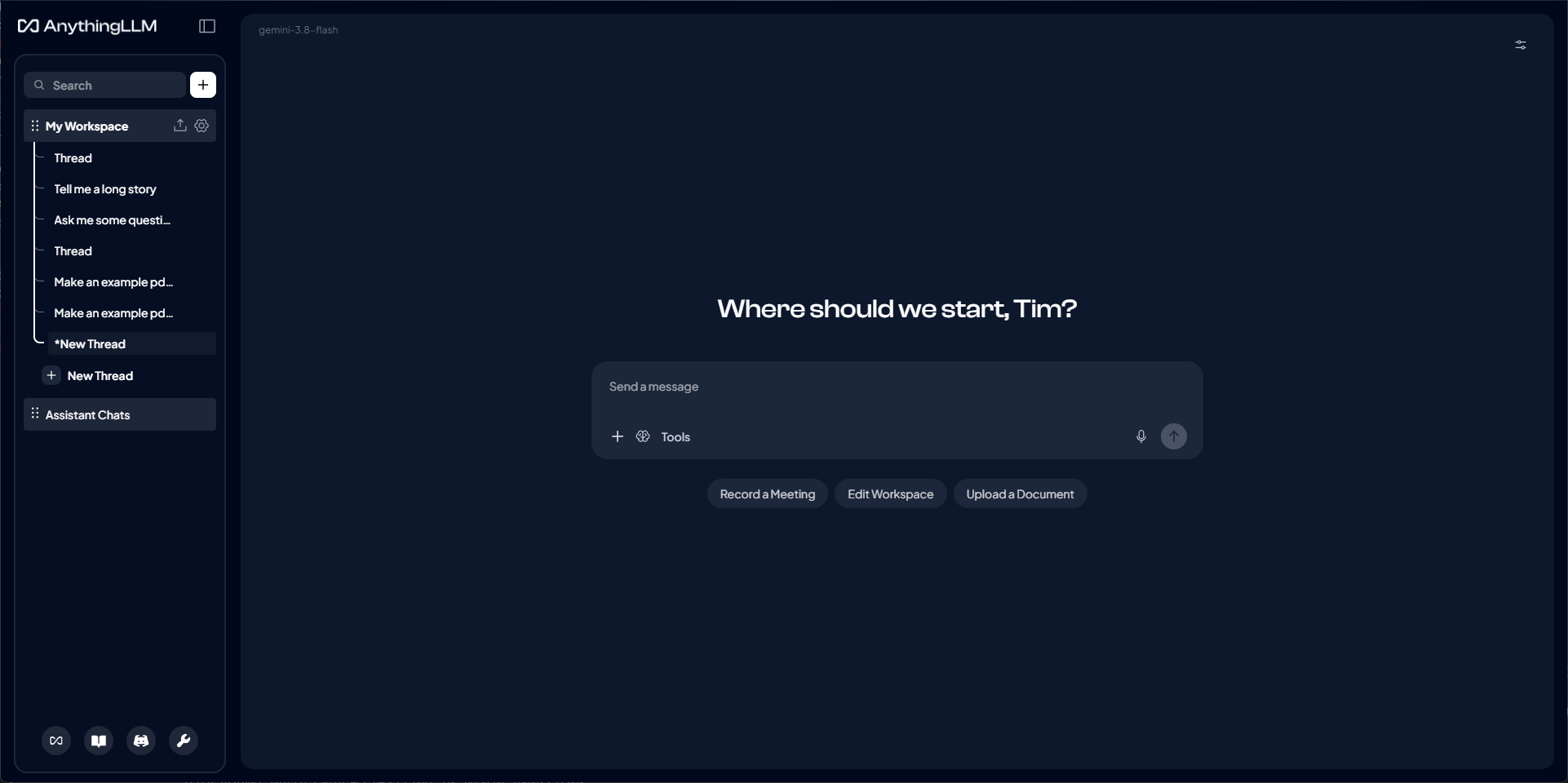
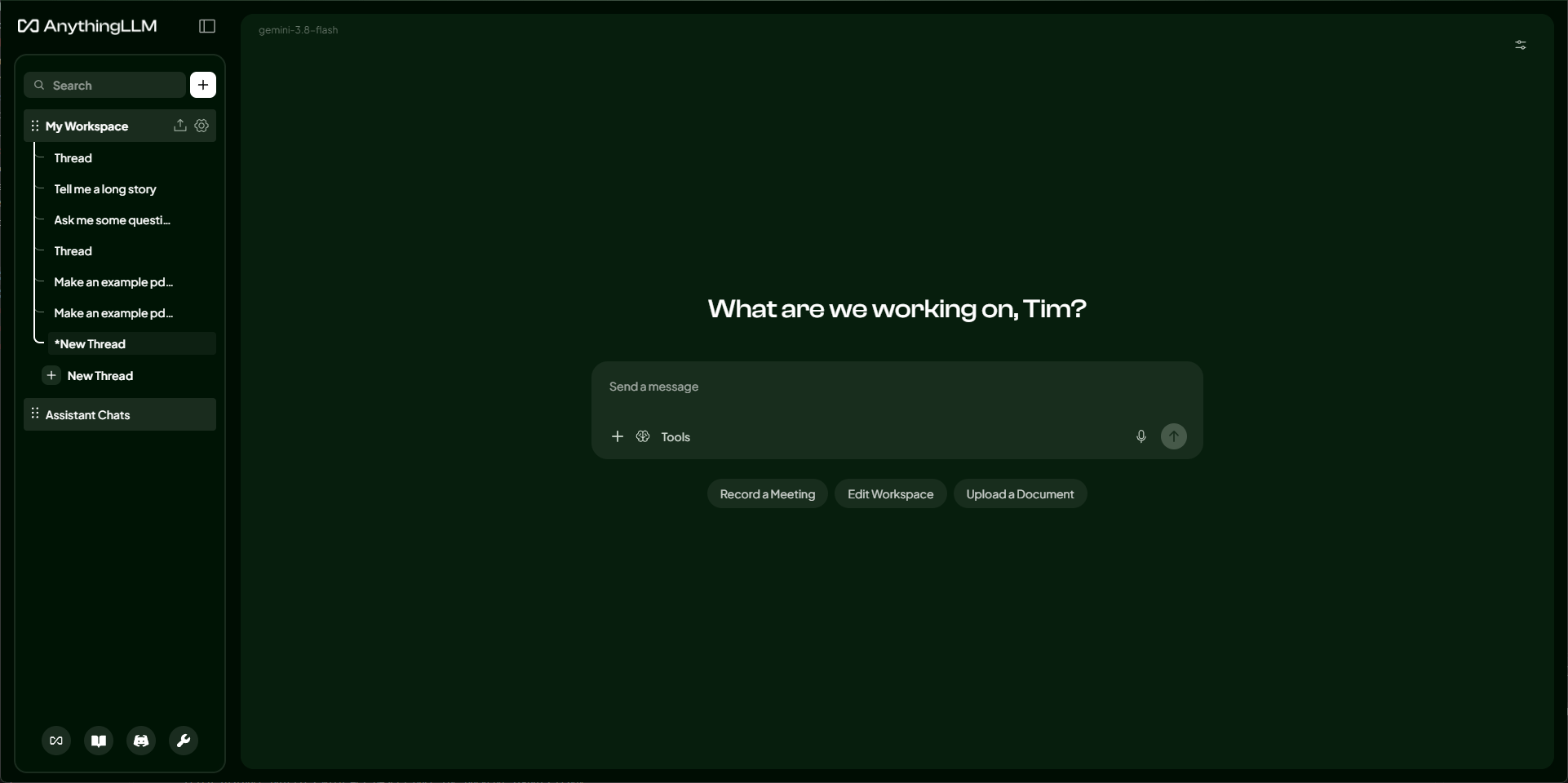
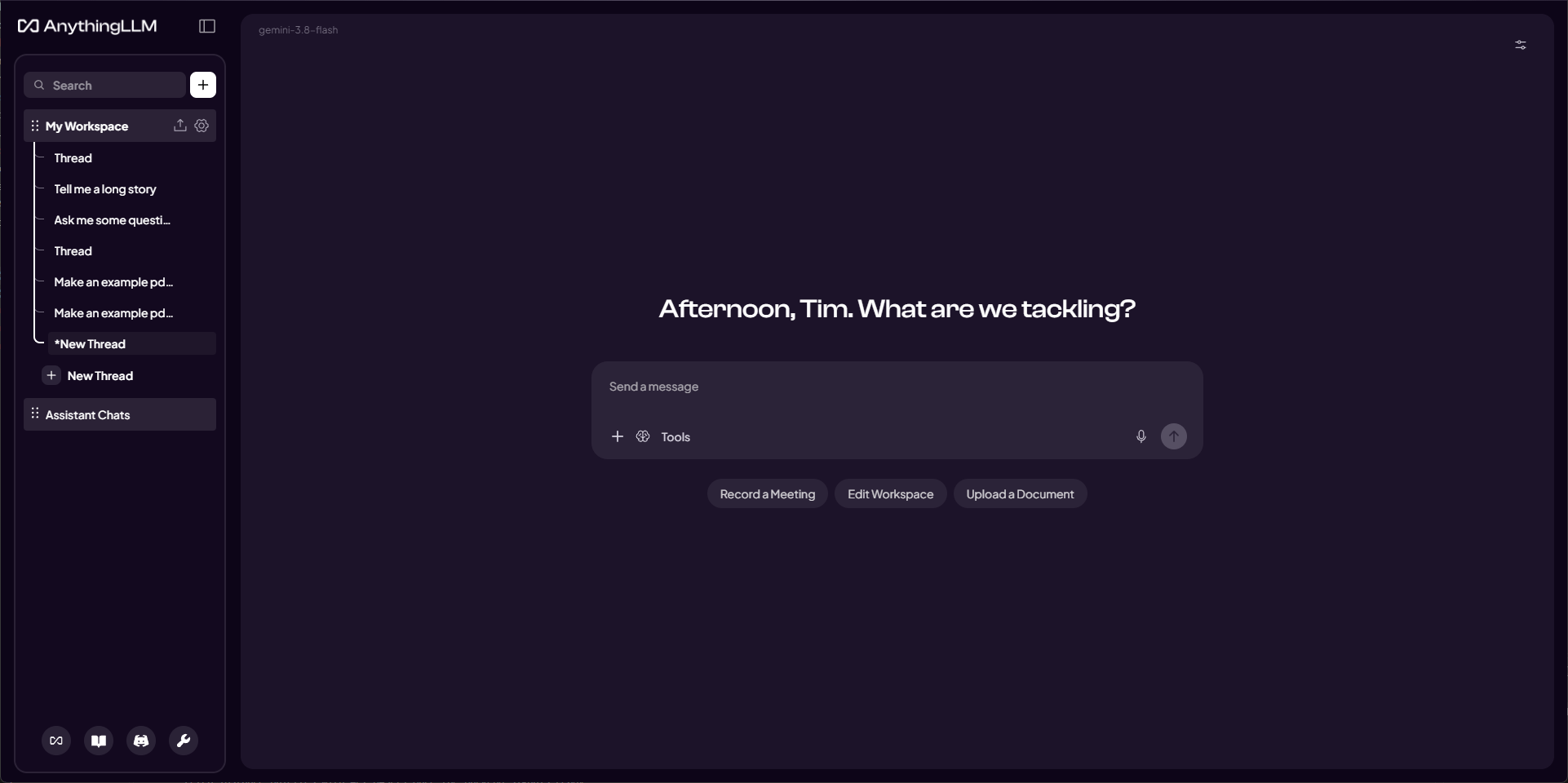
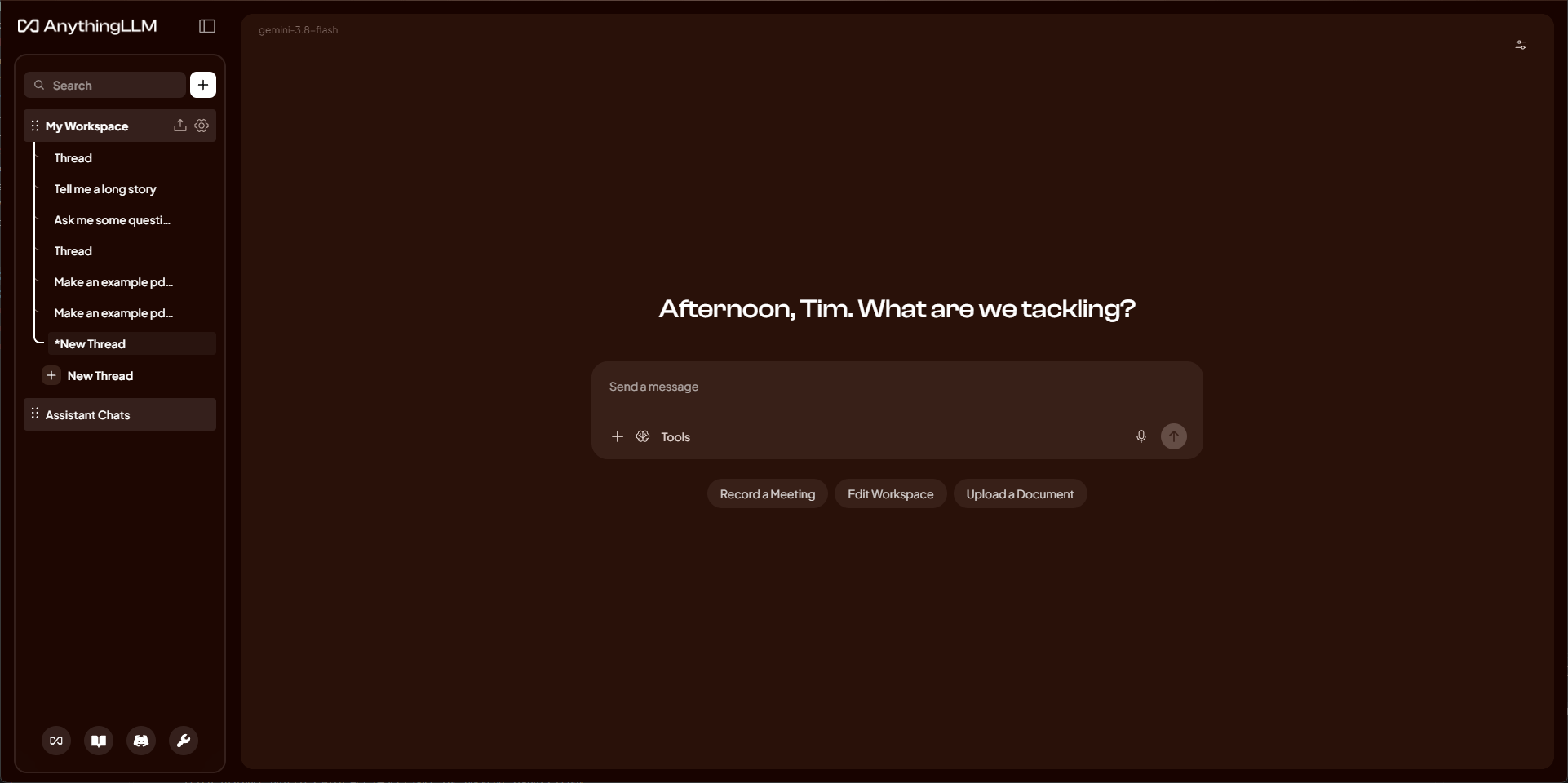
You can now give AnythingLLM your own colors. Pick a color palette in Settings → Customization → UI Preferences, and the whole app takes on its colors: the background, sidebar, chat, settings and every window, in both light and dark mode. Shown above are Ocean, Forest, Plum and Ember. Color palettes are functionally "tints" and we plan to expand this themeing to be more extensive in future updates - if you have ideas around this we would love to hear them on GitHub.
- Built-in palettes: choose from Default, True Dark (pure black for OLED screens), Ocean, Forest, Plum and Ember.
- Your own palettes: click New palette and pick two colors: a main color, which tints the background, sidebar and content, and an accent for buttons and links. The whole app previews your colors as you pick them. Edit or delete your palettes at any time.
- Applied Globally: all UI elements including widgets like desktop assistant and magic beacon and such all inherit the theme you apply.
Improvements
- Agent sessions now pick up workspace model and provider changes mid-conversation, including switching to or from a model router. A running response finishes on its original model.
- Embedding attachments that are too large for the context window now shows live per-file progress, and you can remove files from the queue
- Responses that hit the model's max output tokens now show a notice explaining why they stopped
- The bulk link scraper now reads PDFs and other file links with the file converters, and gets transcripts for YouTube links it finds
- Hungarian language support, including the desktop-only features
-
.movvideo files can now be uploaded and transcribed - Screen readers now read out a reply once it has finished streaming
- Clarifying question timeouts now pause once you start answering
- Tool approval requests now show the email body, recipients and BCC for email tools, and the prompt for scheduled jobs
- Agents can now save the Word, PDF, Excel, PowerPoint and text files they create to a folder on your computer when you ask. You approve every save, and existing files are never overwritten
- MCP tool results are now returned as plain text without the result wrapper
- Weaviate now uses the v3 client (gRPC and REST) ahead of Weaviate removing GraphQL, with new options for deployment type and gRPC host and port
- Bedrock now supports India (
in.) cross-region inference profiles - Gemini and Vertex no longer send sampling and thinking parameters those models have deprecated
- Mistral now lists each chat model once, without aliases or non-chat models, detects vision, reasoning and tool support for each model, and has a thinking on/off toggle for reasoning models in chat and agents
- OpenAI image generation now defaults to
gpt-image-2.5-flare - The assistant now uses the speech-to-text provider you selected in settings
- Your name is now detected only from your operating system account
- Magic Tab now calls your own Ollama server directly when it is your provider
- CSV chat exports now neutralize spreadsheet formulas
- Embed widget requests now have a request size limit
- Web search error messages no longer include parts of your API key
- The app now connects to the document processor over
127.0.0.1 - Drupal Wiki and bulk link scraper imports that find no pages are now reported as failures
- The password reset screen now tells you why a reset was refused
- Excel short dates are now read as ISO dates
- Meetings recorded in Chrome, Edge, Safari, Firefox and Brave now show the browser's icon
- The GitHub connector now uses the repository's default branch when no branch is given, or the given branch does not exist
- Developer API document uploads now report a failure when the document could not be embedded into a requested workspace
- MCP servers that do not support
pingare no longer marked as unavailable - Long citation URLs are now shortened in the citation details window
- Translation fixes across multiple languages
Bug Fixes
- Fixed a crash when the prompt compressor reached history records that could not be converted
- Fixed the prompt compressor dropping attachments from the current message
- Fixed the OpenAI-compatible chat API losing conversation history when the prompt was compressed
- Fixed token counts ignoring the text of messages that have attachments
- Fixed system prompt variables expanding placeholders inside other variables' values
- Fixed the file edit tool changing the line endings of files that use CRLF
- Fixed GitHub and GitLab repository imports failing on branch names that contain
#,&or+ - Fixed Telegram bot agent answers being cut off when split across several messages
- Fixed workspace chat settings crashing when the saved LLM provider was not in the list
- Fixed Magic Beacon window shortcuts firing when a focused control already handled the key
- Fixed the Visual C++ Redistributable never running during the Windows install
- Fixed the window opening too small on Linux Wayland with fractional scaling
- Fixed Paperless-ngx plain-text documents losing text in angle brackets and their column layout
- Fixed Confluence code blocks losing markup, generics and indentation
- Fixed regenerating or editing a message not counting toward a user's daily message limit
- Fixed one unreadable watched document stopping every other watched document from syncing
- Fixed Mistral reasoning models such as
mistral-large-4breaking chat and agent replies - Fixed scheduled jobs showing a connected Outlook account as needing setup, which blocked selecting Outlook tools
Pinned Download Links
Revision 1.19.0:
| Operating System | Architecture | Download |
|---|---|---|
| Mac | x64 | Download (opens in a new tab) |
| Mac | ARM64 | Download (opens in a new tab) |
| Windows | x64 | Download (opens in a new tab) |
| Windows | ARM64 | Download (opens in a new tab) |
| Linux | x64 | Download (opens in a new tab) |
| Linux | ARM64 | Download (opens in a new tab) |