Intelligent Tool Selection is an enabled by default feature. You can disable it in the Agent Skills page via Settings > Agent Skills.
AnythingLLM ships with the concept of Intelligent Tool Selection. This allows any model to have access to unlimited tools but without the trade-off bloated token usage and performance bottlenecks saving up to 80% every single chat.
In other providers like OpenWebUI, Claude, or others, every single tool and MCP will be added to the prompt window every chat! This is a major performance bottleneck and can quickly lead to context limits being reached within a few chats as well as decreased performance and increased token usage or costs.
With Intelligent Tool Selection, AnythingLLM will only add the tools that are actually useful for the chat to the prompt window.
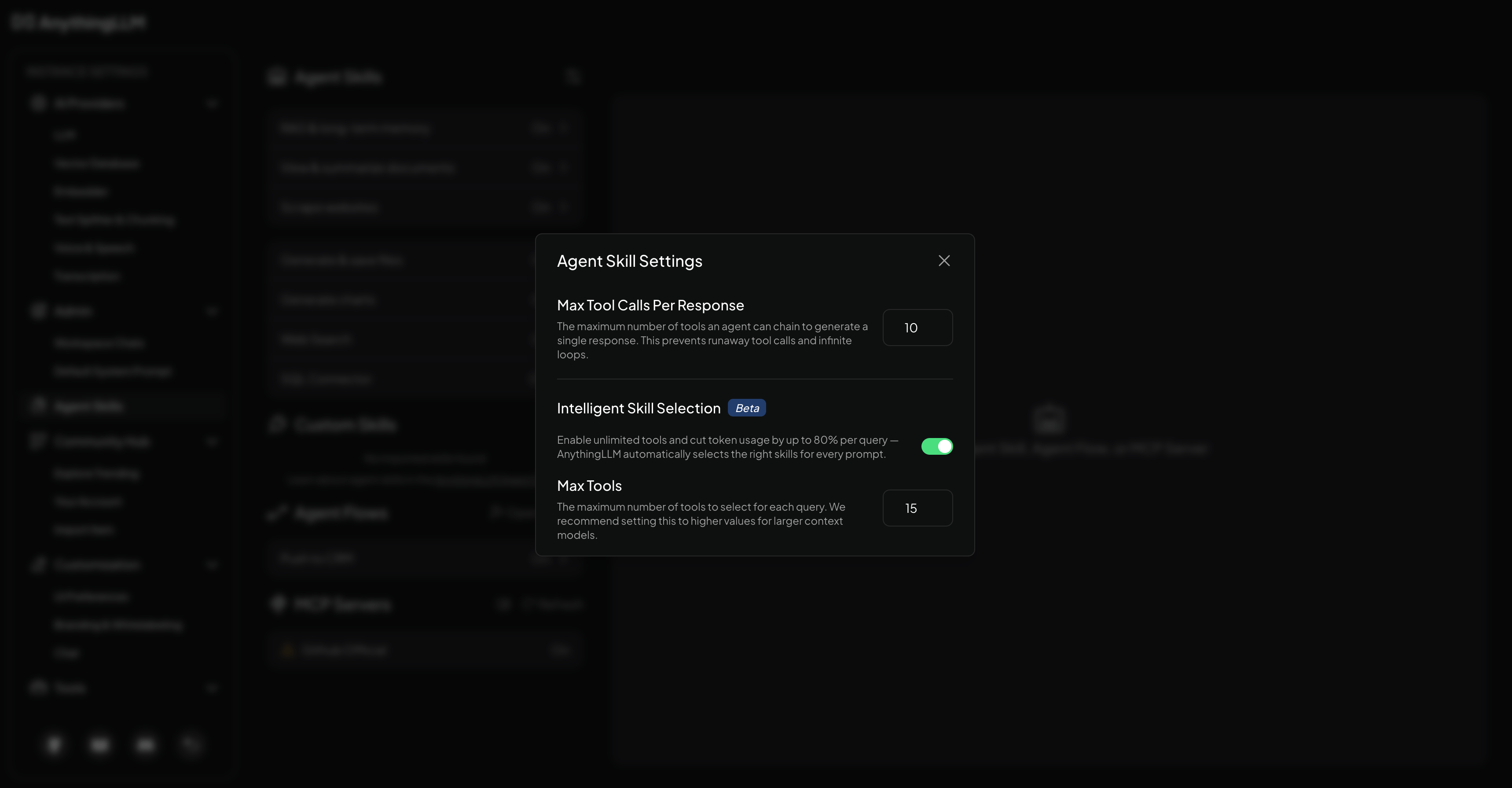
Intelligent Tool Selection adds a small overhead to each chat, but it is worth it to save on token usage and performance. It only kicks in when you have more than the Max Tools value set in the Agent Skills panel.
How to enable Intelligent Tool Selection?
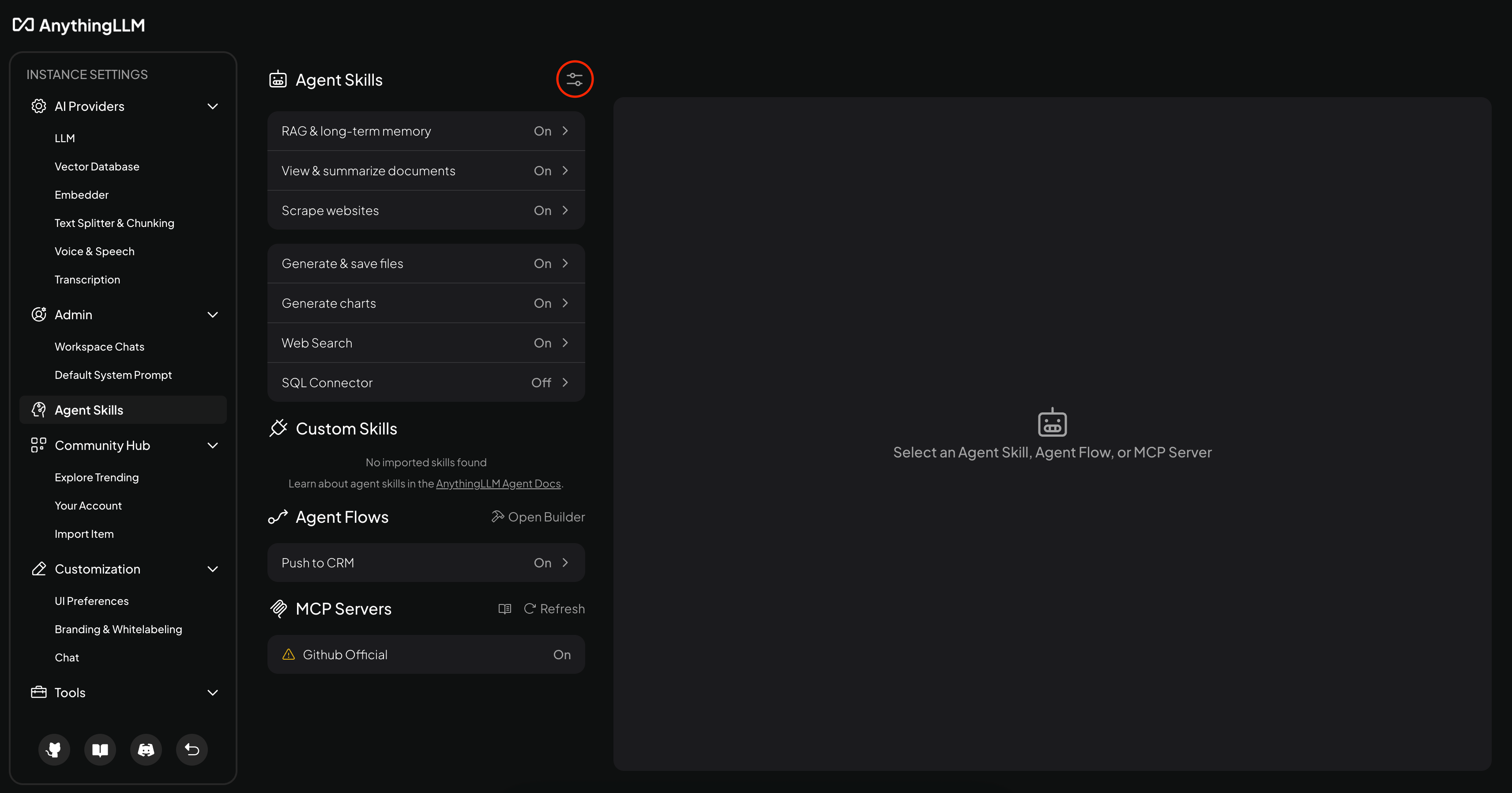
In the Agent Skills page via Settings > Agent Skills, you can enable Intelligent Tool Selection by clicking the settings icon on this page.
From this menu, you can enable Intelligent Tool Selection by clicking the "Intelligent Tool Selection" toggle.
Benefits of Intelligent Tool Selection
- Better Performance: Only add the tools that are actually useful for the chat to the prompt window. This means less tokens overall so you get a faster response time - this is especially useful for local models
- Save up to 80% on token usage every single chat: This is a major performance improvement and can help you save on token usage and costs. For local models, this leads to much faster response times. For cloud models, this leads to lower costs and faster response times.
- Better Context Management: This allows you to keep your context for actual chats and information instead of just tools that are not useful for the chat.
With Intelligent Tool Selection, you dont have to worry about the granular selection of tools every single chat - it is automatically done for you so you can continue to just add more and more tools to help you be more productive.
Why would I want to disable Intelligent Tool Selection?
There are really only two reasons to disable Intelligent Tool Selection:
- If you are on a very low-end device with limited resources, you may want to disable Intelligent Tool Selection to save on resources and decrease the overall load on your system.
- You want to save the extra 100-500ms on each chat since we rerank each chat so tools are managed every query.