Notable Changes
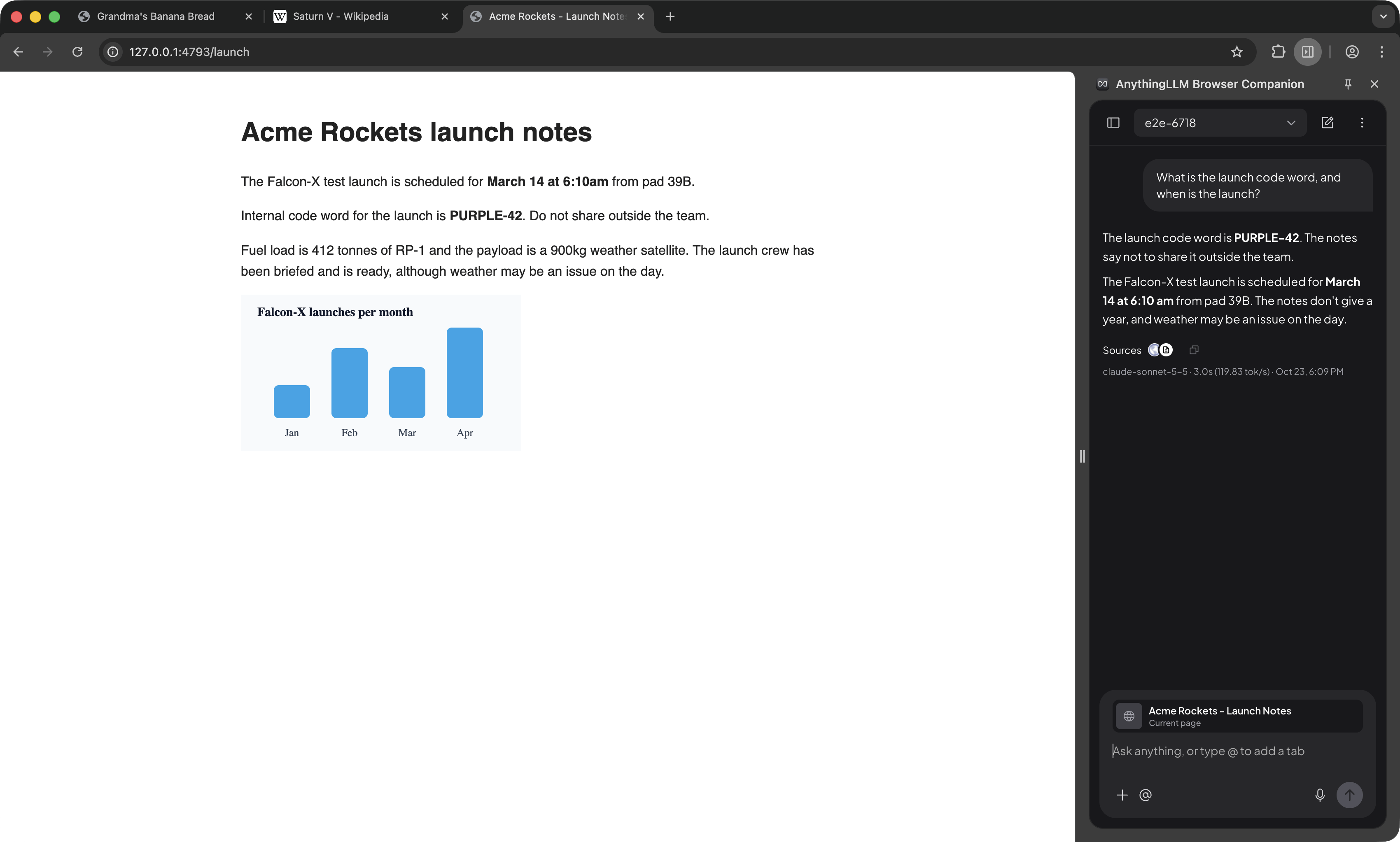
Updated browser extension
The browser extension (opens in a new tab) has been improved beyond its original function of just collecting documents to now a full fledged UI chat bar with the ability to right click -> Add context (text and image) and chat directly in Chrome. This sidebar should have mostly full parity for tooling and more with the traditional chat UI.
While it is backward and forward compatible, only full functionality is expected when the server and extension are on version 1.20.0 or later. We will be updating the browser extension on the Chrome webstore (opens in a new tab) shortly after main release.
Redesigned task inbox
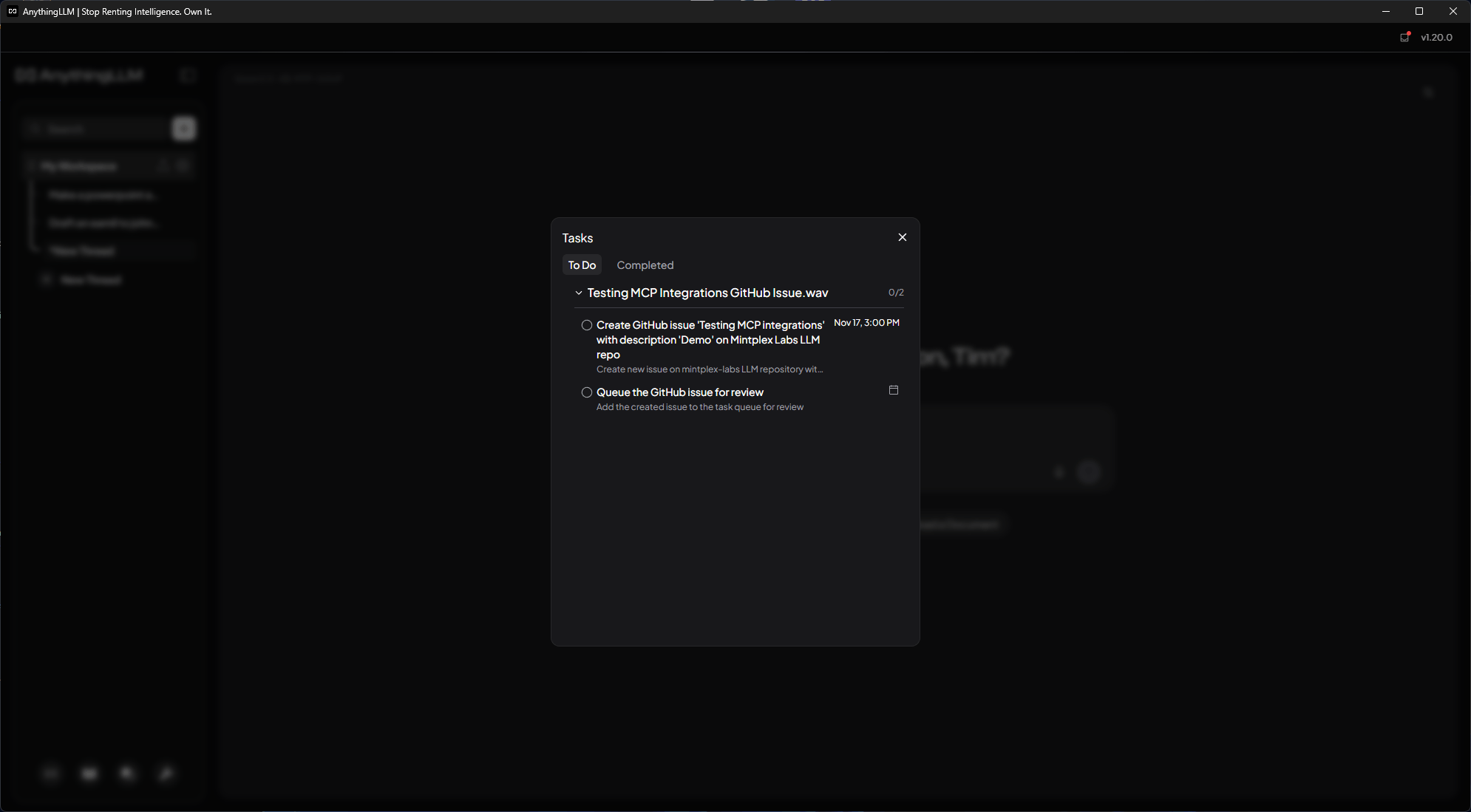
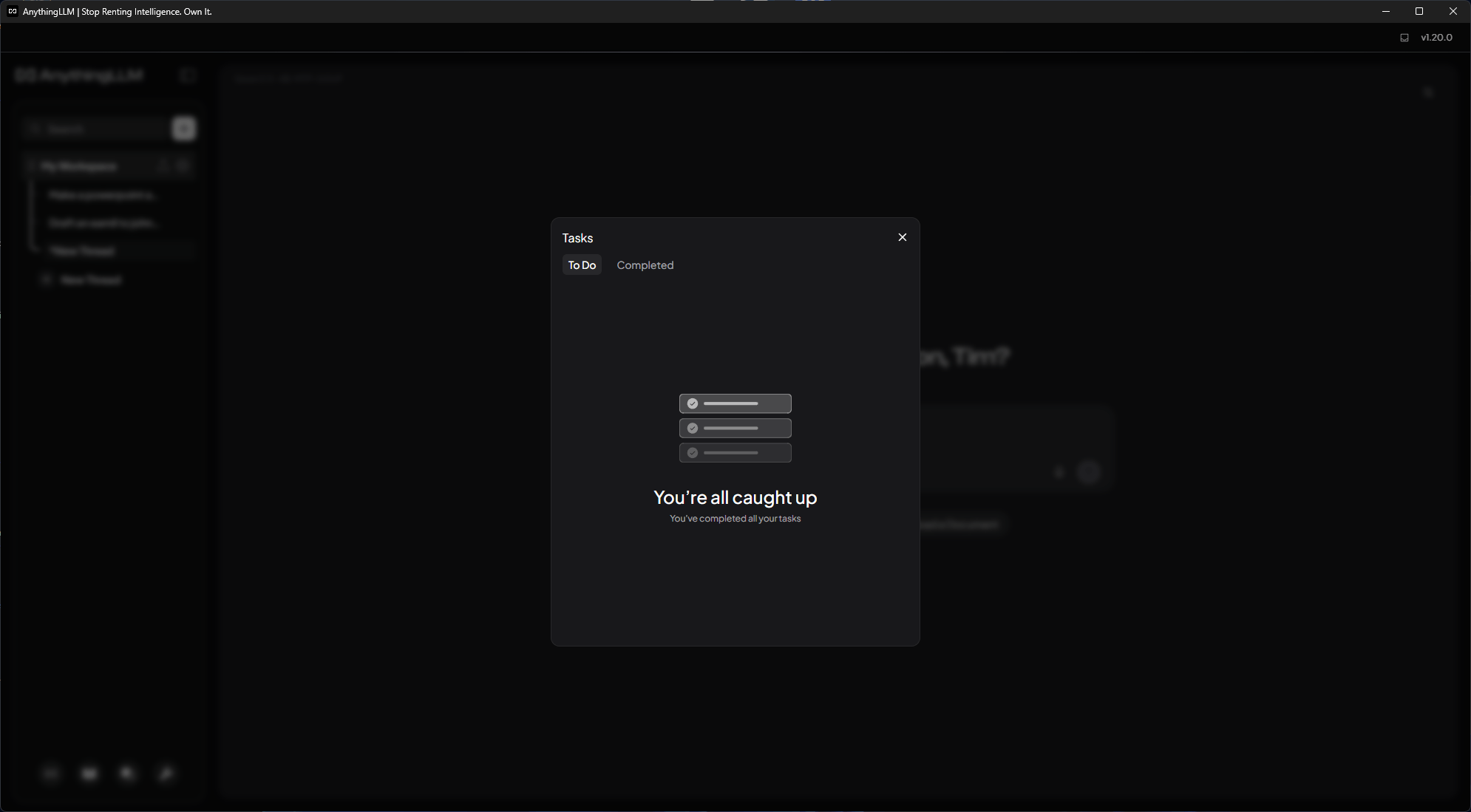
The task inbox for Meeting Assistant tasks has been redesigned to make it easier to keep on top of your follow-ups.
- Edit tasks: open any task to change its title or due date. The editor works from both the task inbox and a meeting's Tasks tab.
- Due dates with times: pick a due date and time with your system's date picker, right from the task row. Changes save automatically.
- Sorted for you: tasks with a due date are listed soonest first, followed by tasks with no due date.
- Completed tasks: completed tasks show when they were completed. Reopen a task to change its due date.
PowerPoint tool overhaul
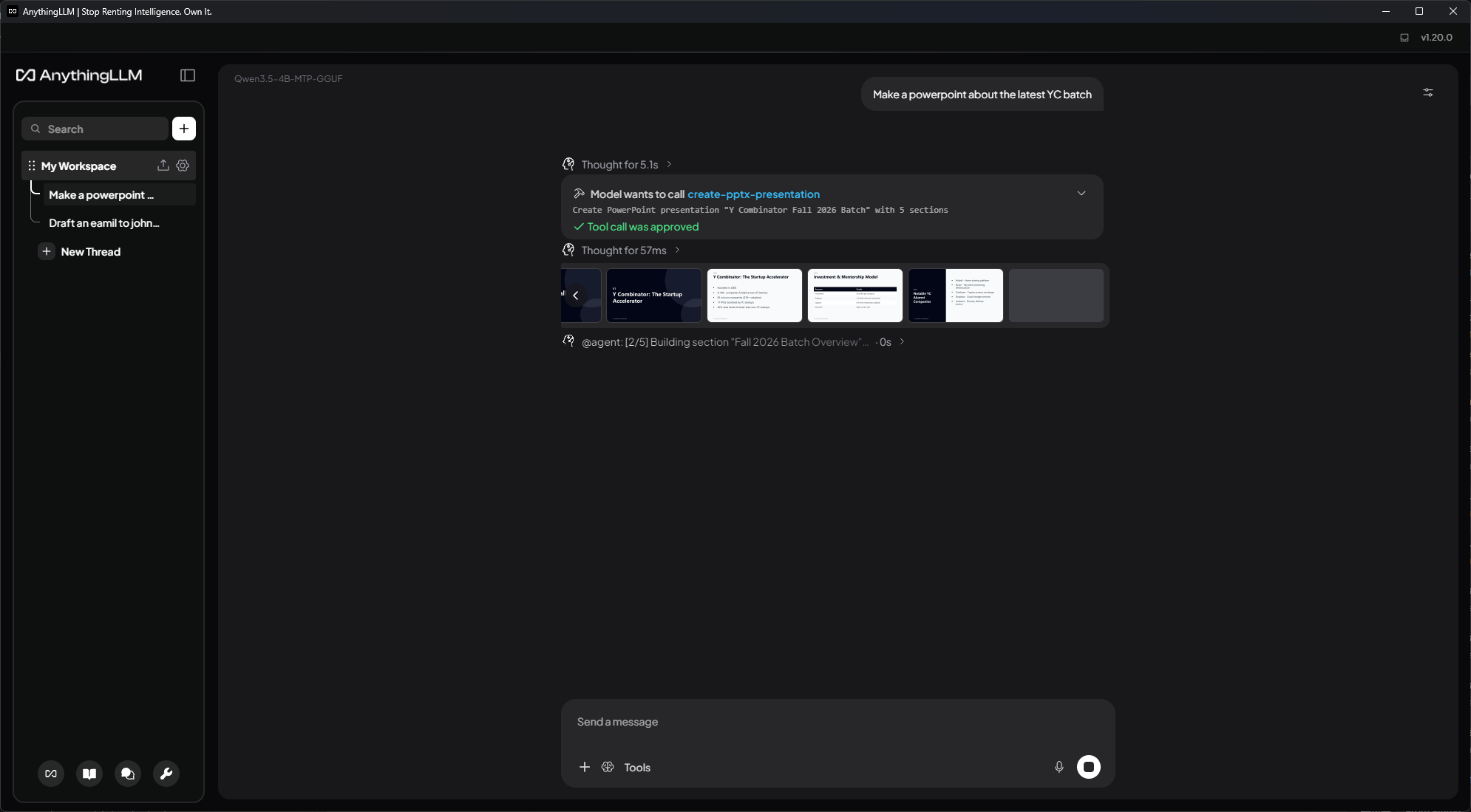
The agent's PowerPoint tool has been rebuilt from the ground up to produce cleaner, better looking presentations.
- Themes and layouts: decks use new color themes and a set of layouts that are picked to fit each slide's content, so the same layout is not repeated slide after slide.
- Live slide previews: slides appear in the chat as they are built, so you can watch the deck come together. Click a preview to see it full size.
- Grounded content: figures, chart values and quotes are only kept when your outline, research or conversation contains them, and text is sized to fit each slide.
Email approval cards for Gmail and Outlook
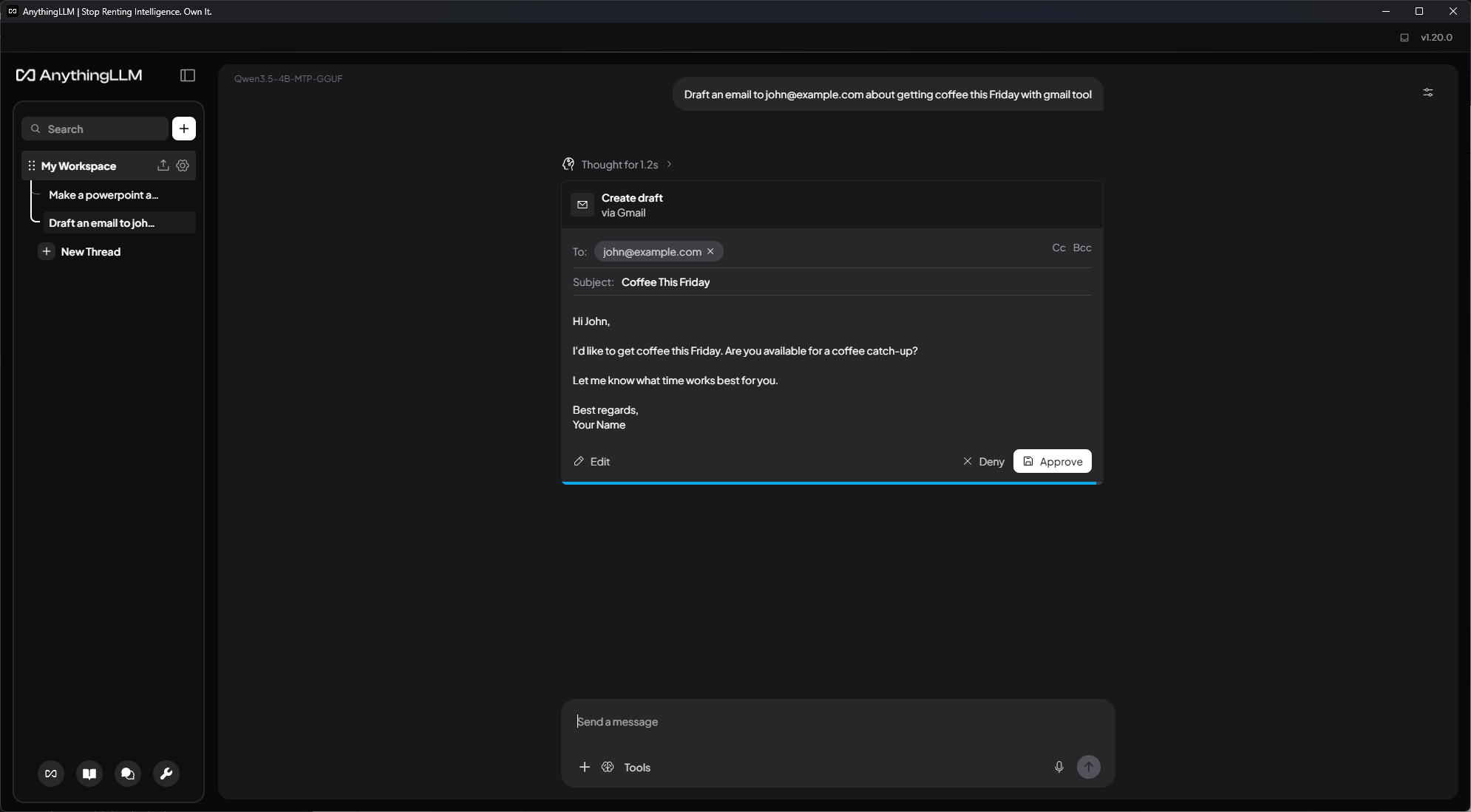
When an agent wants to send or draft an email with the Gmail or Outlook tools, the approval request is now shown as an email card. You can edit the recipients, Cc, Bcc, subject and body right in the card before you approve it. The approval timer pauses while you edit, and you can expand a sent email to see exactly what went out.
MCP improvements
- Identity forwarding: MCP servers can now receive the workspace and user that is calling them. Opt in per server with
anythingllm.forwardIdentity. See Forwarding identity to MCP servers. - Per-server timeouts: set
anythingllm.timeout(in seconds) on an MCP server to control how long its tool calls can run. The default is 60 seconds. - Developer API: new
/v1/mcp-serversendpoints let you list, add, update, delete, start, stop and reload MCP servers, and turn individual tools on or off. - MCP servers with many tools now load every page of tools, starting one server also picks up any newly saved servers, and disconnected servers can be deleted.
Improvements
- New Closing Behavior setting in Settings → Customization → UI Preferences lets you choose whether closing the main window keeps AnythingLLM running in the system tray or quits the app
- The browser extension can now chat from a side panel, with chats saved to your workspace threads (requires the latest browser extension)
- You can now edit your prompt after stopping a response
- A live timer now shows how long the model has been thinking
- Your message is now saved to the thread before the model responds, so it is kept even if the response fails
- Leaving an agent session now shows an exit notice instead of a "session closed" alert
- DeepSeek now supports vision for models that accept images
- DeepSeek can now be used as an agent web search provider
- Generic OpenAI now has reasoning effort controls
- Mistral reasoning models now offer the reasoning levels each model accepts, so turning reasoning off no longer fails on models like Mistral Large 4
- LocalAI now reads each model's context window and capabilities
- OpenAI now defaults to
gpt-5.6-luna - Voyage AI now reports progress while embedding and sends the correct input type for queries and documents
- Context windows for local and runtime-discovered models are now cached, so chats start faster
- LanceDB has been upgraded to 0.30.0
- GenieX (opens in a new tab) on Windows on ARM has been upgraded to 0.11.0, so switching from an NPU-only model to a GGUF model no longer restarts the engine
- The document picker now supports Shift and ⌘/Ctrl click to select multiple files, and select all
- Wide Markdown tables now scroll sideways instead of overflowing the chat
- Workspace settings forms now fit narrow windows
- Workspace chats no longer show the Sent By column, which only applies to multi-user instances
- Scanned PDFs whose pages have no text are now run through OCR
- The agent file tools now handle Windows paths without regard to case, and keep indentation when editing files
- Telegram bot slash command presets now run when sent to the bot
- Telegram bot messages, tool approval prompts,
/historyand/statusare now formatted and escaped correctly, and shortened to fit Telegram's limits - Threads started from the mobile app or developer API are now named automatically
- The mobile app now uses the workspace's chat mode
- Outlook thread reads are now limited to fit the model's context window, and Outlook citations link to the email in Outlook
- Paperless-ngx imports now limit how many documents download at once
- Qdrant uploads are now split into batches under the request size limit
- PGVector search errors now show the real cause
- Agent file tools now refuse to download images from local network addresses into PDF, Word and PowerPoint files
- Community links now point to GitHub Discussions and r/anythingllm
- Translation fixes for French and Estonian
Bug Fixes
- Fixed the Meeting Assistant reporting a failed meeting when only task generation failed. The meeting summary is kept and the notification says tasks could not be generated
- Fixed the Meeting Assistant runtime loading state and recording player showing dark colors in light mode
- Fixed Meeting Assistant modals overlapping the window title bar
- Fixed the contextual save bar and the active settings sidebar item in light mode
- Fixed the prompt compressor dropping images for Ollama and losing provider formatting
- Fixed tool calls with no arguments being retried
- Fixed prompt-based tool calls failing on
nullor JSON string arguments - Fixed the PowerPoint tool's section sub-agents and stop button not working
- Fixed PowerPoint decks dropping negative chart values
- Fixed regenerating a response right after it was saved
- Fixed pinned documents taking up search results when reranking is on
- Fixed a chat history limit of 0 being ignored, in workspaces and in embed widgets
- Fixed embed widget history not checking the widget's settings and session
- Fixed the developer API chat history
limitwhen it is not a number - Fixed the filesystem read tool missing the last lines of a file and breaking characters when reading the start or end of a file
- Fixed the filesystem tool copying a folder into itself forever
- Fixed files with no extension not being parsed when a parent folder name has a dot
- Fixed simultaneous uploads overwriting each other
- Fixed adding files while other documents were still uploading
- Fixed individually selected documents being lost when searching in the document picker
- Fixed deleting a partially selected folder also removing the documents you did not select
- Fixed deleted folders' documents staying in workspaces on Windows
- Fixed nested folder names being allowed when creating or moving folders
- Fixed the sidebar search showing results for an older search
- Fixed clarifying questions not closing when an agent session is stopped
- Fixed unanswered prompts being kept in the agent session history
- Fixed multi-select clarifying questions losing picks when Other was opened but left empty
- Fixed model router hour ranges that span midnight
- Fixed model router decisions not updating after the router is edited
- Fixed scheduled jobs set for Sunday running on Saturday
- Fixed a scheduled job's next run time not updating when it is turned back on
- Fixed agent flow API Call blocks sending empty headers, dropping the
Content-Typeheader and ending JSON body strings early - Fixed agent flow static variables appearing in flow results and status messages
- Fixed OpenAI streams dropping text that started with
data: - Fixed Azure OpenAI reasoning models in agents
- Fixed failed OpenAI Responses API agent requests not showing an error
- Fixed KoboldCPP and Foundry Local agents ignoring max response tokens
- Fixed tokens per second for Bedrock, SambaNova and Cerebras
- Fixed context windows for Groq models with a prefix
- Fixed
PROVIDER_DISABLE_NATIVE_TOOL_CALLINGnot matching provider names with spaces - Fixed MCP tools whose schemas use
$ref,definitionsor$defs - Fixed Weaviate workspaces whose name starts with a number
- Fixed the Telegram bot
/modelcommand picking the wrong model when model names are long - Fixed text-to-speech reading out underscores inside words
- Fixed chart data in chat being sent to the UI unparsed
- Fixed chat exports removing generic types like
Promise<Response> - Fixed Word exports restarting numbered lists after a code block and dropping spaces in list items
- Fixed non-Latin text being lost in scraped page titles and raw-text document titles
- Fixed scraped
<pre>blocks without<code>being escaped - Fixed HTML entities in YouTube transcripts
- Fixed mbox files with CJK subjects and characters split across chunks
- Fixed re-syncing GitHub documents whose paths need encoding, and GitHub repo URLs with a query or hash
- Fixed GitLab issue thread replies running together
- Fixed DrupalWiki attachments being titled with the upload path
- Fixed suggested messages failing to save part way through
- Fixed file extensions being read from folder names
- Fixed a typo in the SQL Connector skill description
Pinned Download Links
Revision 1.20.0:
| Operating System | Architecture | Download |
|---|---|---|
| Mac | x64 | Download (opens in a new tab) |
| Mac | ARM64 | Download (opens in a new tab) |
| Windows | x64 | Download (opens in a new tab) |
| Windows | ARM64 | Download (opens in a new tab) |
| Linux | x64 | Download (opens in a new tab) |
| Linux | ARM64 | Download (opens in a new tab) |