
How to use AI Agents?
Note
Before you use AI Agents, you have to configure your AI Agents by following our Agent Setup Guide
When in the main chat UI, check to see if the @ symbol is present in the prompt input.
If this symbol is present, you must mention the agent by @agent to start an agent session to use tools.
If this symbol is not present, you are automatically in agentic chat mode with every chat.
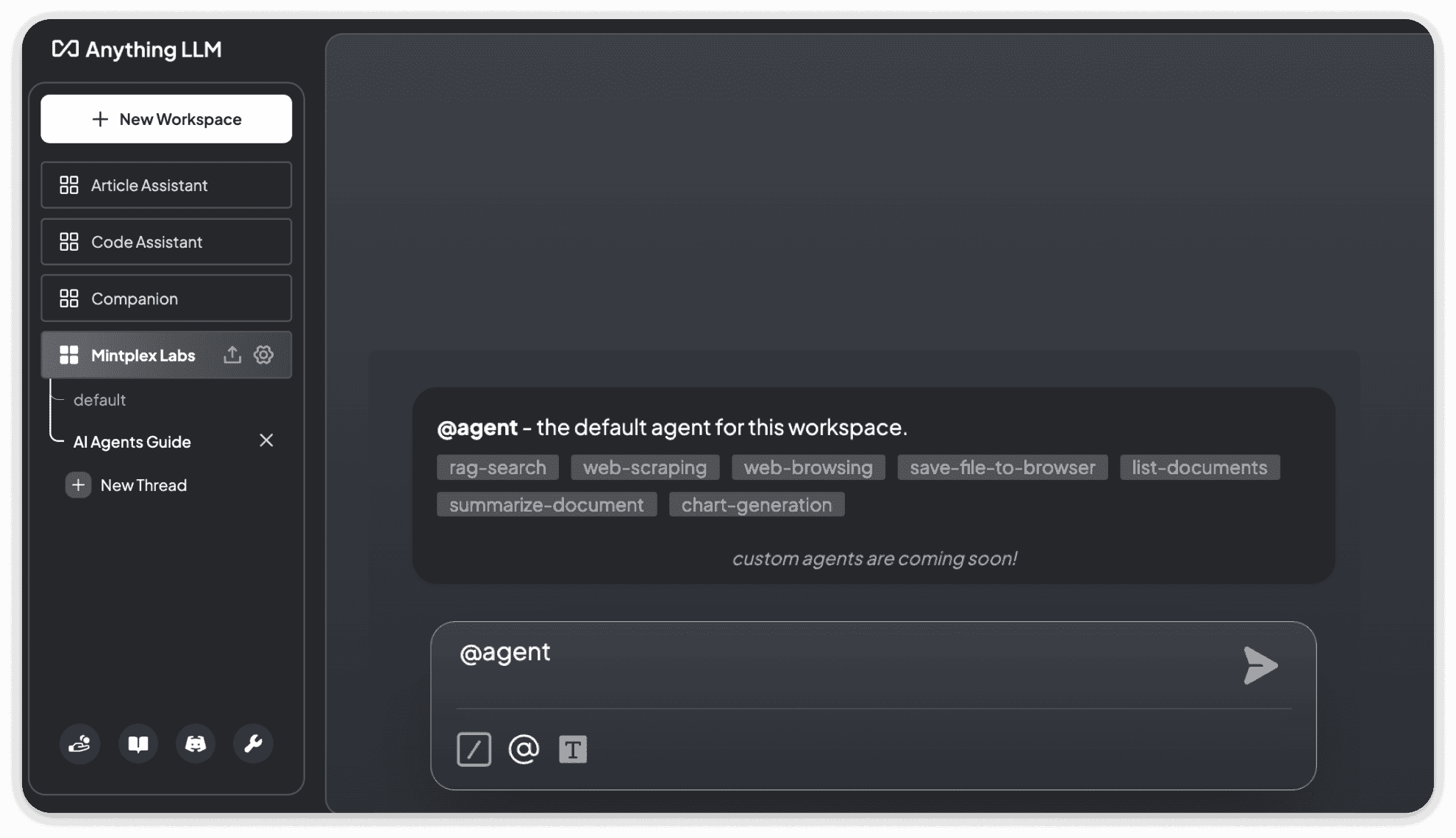
When you mention the agent, you will see a popup with the tools enabled for the agent on the workspace.
Agents have access to the following tools:
Frequently Asked Questions
1) How can I know if the agent session is started or ended?
When a Agent session is started you will see the log Agent @agent invoked on your chat.
When a Agent session is ended you will see the log Agent session completed on your chat.
2) How can I end a Agent Session?
Simply use the slash command /exit to end a agent session
3) Do I have to always mention @agent to interact with the agent?
AnythingLLM will automatically determine if your LLM can use tools so that every chat is more intelligent. However, you can still choose to use the @agent directive at the start of your chat to start an agentic chat session.
Not all providers allow AnythingLLM to automatically determine if your LLM can use tools so you may need to use the @agent directive at the start of your chat to start an agentic chat session.
You will notice the @ symbol in the prompt input if you are required to use the @agent directive at the start of your chat to start an agentic chat session.
If this symbol is not present, you are automatically in agentic chat mode with every chat.