Model Router
AnythingLLM is the first and only platform to offer a user-defined model router that truly unlocks the power of AI and a hybrid AI assistant experience.
The Model Router lets you dynamically route your chat sessions to different LLM providers and models based on rules you define within a chat without having to change the model manually. Instead of locking a workspace to a single model, the same chat input can route math questions to a reasoning model, translations to a fast multilingual model, and legal questions to your most capable model.
Availability
- Available on AnythingLLM Self-hosted (single-user and multi-user mode)
- Available since AnythingLLM Desktop: v1.13.0
Why use a Model Router?
A single LLM rarely fits every kind of question. Some are best answered by a fast, cheap model. Others benefit from a reasoning model. Some require your most capable (and most expensive) model. The Model Router picks the right one for each message automatically, without forcing your users to pick a model themselves.
Common reasons to use it:
- Save money. Send simple messages to cheap or local models and only the hard ones to expensive or remote models.
- Use the right tool for the job. Pair specific topics (math, code, translation, legal) with the model that handles them best.
How it works
A router is made up of:
- A primary provider and model, used when no rule matches and to evaluate LLM-classified rules. This is the model that will be used if no rules match.
- One or more rules, evaluated top to bottom by priority. The first rule that matches wins.
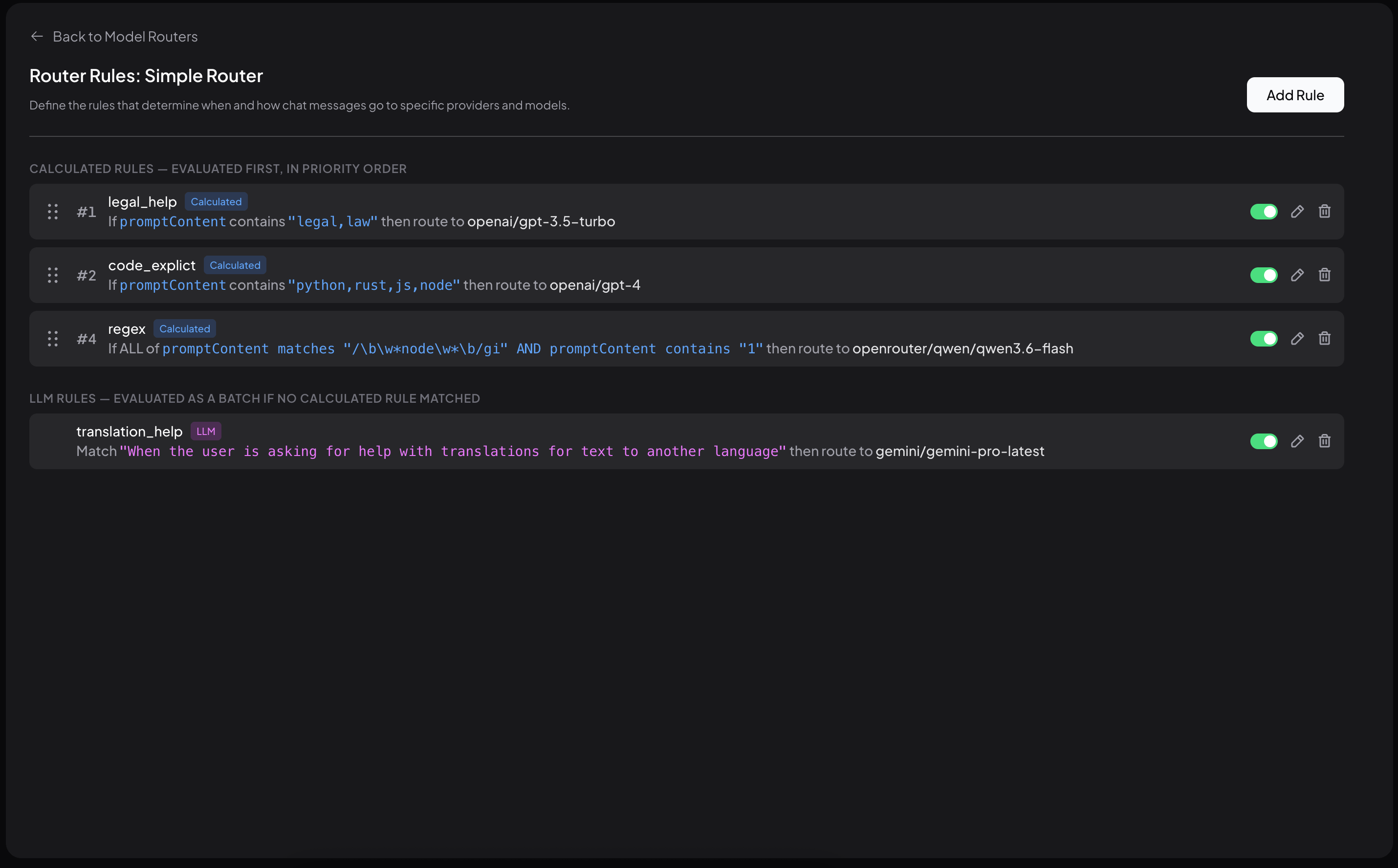
There are two types of rules:
Calculated rules
Calculated rules match on properties of the message itself, like keywords in the prompt, conversation token count, time of day, or whether an image is attached. These are fast and don't call an LLM.
LLM-classified rules
LLM-classified rules use a plain-English description (for example, "When I ask a question about legal topics, contracts, or compliance"). The router's fallback model reads the current conversation history and the new message and decides what, if any, provider and model to use.
Once a router is set up, it shows up as its own provider in the LLM Provider picker. Pick Model Router, choose your router, and every message in that workspace is routed by your rules.
Ready to set one up? → Setting up a Model Router